 BIM Services
 Architectural
 Structural
 MEP
MEP Facade
 Industrial
VDC/ BIM/ CAD Blog
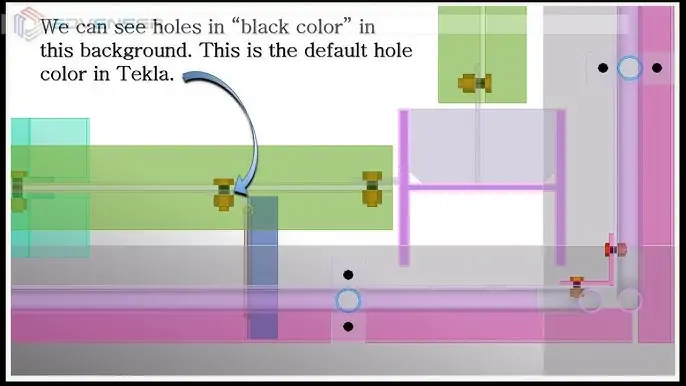
Hole color change in Tekla detailing model
Hole color change in Tekla detailing We can see holes in "black color" in the Tekla model. This is the default hole color in Tekla. We can modify…
READ MORE
Mark’s Leader Alignment in Tekla Detailing.
Mark’s Leader Alignment in Tekla Detailing Space between leader line and the mark is perfect when it's on the right side. But this gap will be more if…
READ MORE
Tekla (V2018)’s latest Changes in “Numbering settings”
Tekla (V2018)’s latest Changes in “Numbering settings” In Tekla Structures 2018 SP1, there is now a new advanced option XS_ENABLE_PHASE_OPTION_IN_NUMBERING that controls the Phase setting in the Numbering…
READ MORE
GA-Column Partmark Presentation Tip
GA-Column Partmark Presentation Tip Generally, column part marks will be in 45-degree alignment in default drawing creations. But sometime it would not help in Drawing presentation. To avoid…
READ MORE
Use of “Display Detailing” in Tekla Modeling
The most commonly used method to view all cut and fittings in an elevation/3d view is to utilize “Delete” and “Undo” commands together. The problem with this method…
READ MORE
How to use Magnetic Grid Plane Property in Tekla Modeling?
How to use Magnetic Grid Plane Property in Tekla Modeling? You can make grids and grid lines act magnetically so that the objects on the grid lines follow…
READ MORE
How to Reset the System Classification of a Pipe Fitting?
How to Reset the System Classification of a Pipe Fitting? As the System Classification is greyed out by default, direct switching is not possible. Two methods are demonstrated…
READ MORE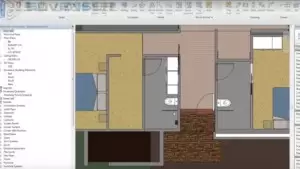
How to schedule a shared family parameter ?
How to schedule a shared family parameter ? 1. Note a family in the linked project that has the shared parameter you are hoping to schedule.2. Close the…
READ MORE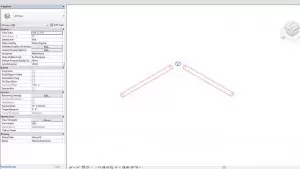
How to reset the system classification of a pipe fitting that is incorrect?
Since the System Classification will normally be greyed out, switching directly is not possible. You can try one of the two possible ways to switch to the correct…
READ MORE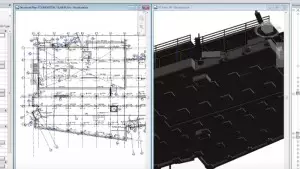
How to color code families in Revit?
The first part is to generate view filters for the family whose visual appearance needs to be customized. Find out the naming convention of the family. Select the…
READ MORE
Advenser at the 2017 Autodesk University (AU) Conference, India
Advenser at the 2017 Autodesk University (AU) Conference, India Advenser Engineering Services, a leader in BIM Services will be attending the 2017 Autodesk University Conference in Bengaluru, India…
READ MORE
When BIM meets Lean Construction Principles
Origins of Lean Principles The lean principle, in simple terms, is all about reducing non-value-adding activities and materials (Waste) in a process. The origins of the lean concept…
READ MORE